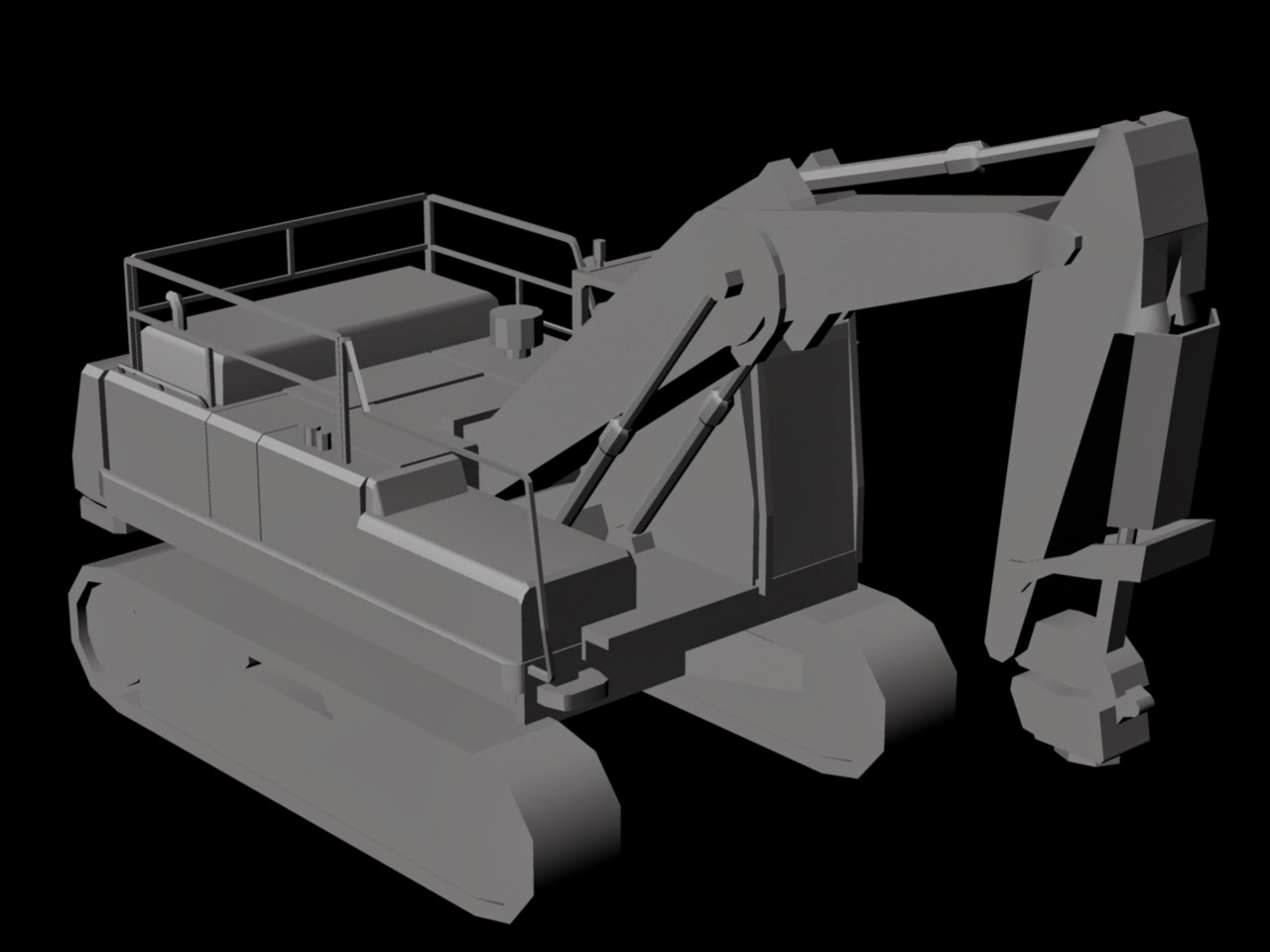
This is my digger with it's block colour's applied. Of course it needs a lot of work but it's moving forward and this well help me identify where the areas are and how I should texture them. Next I plan to get an AO map and then move onward to my diffuse map.
Showing posts with label Block. Show all posts
Monday, 17 March 2014
Wednesday, 5 February 2014
Nearly Finished Blockout
So this is my block out in its nearly finished state. Honestly I'm really happy with it for the most part, much of it won't even need changing when it comes to the extra detailing after this. I still have over 2000 triangles to use in the model. Some areas will need improving but the arm is my favorite part, I do not think it needs much in the way of changes. I still need to create the claw but that is all for the block out.
JCB Progress Shots
So this is another pair of progress shots of my JCB vehicle. As you can see, I have now blocked out everything but the arm of the vehicle which I will do today. I think I have spent my polygons wisely yet in some areas I have added enough detail that they won't need to be changed when I'm adding detail. My polycount so far is at 2202 Tri's whilst my limit is 6000. I think I'm doing quite well with it so far, the only part I am really worried about polygon wise is the tube's situated along and at the base of the arm, these will be challenging to get withing the limit. Anyway, progress is being made.
Tuesday, 4 February 2014
Start of modelling
So I have finally actually started modelling. As you can see in my scene, I have side and front pictures in so far (the photo has my unskewed drawing behind it, I switch between them to get a clearer look at things). I have blocked out my tracks and made the base of the cab. I'm trying to keep everything very poly efficient at this point as I don't know how many I'll use overall. I can always go back and redo areas of it and add more detail. Anyway, I'll continue modelling now, just a progress shot really.
Front view without arm
So today I finished the front view off of my vehicle. As you can obviously see, it doesn't have it's arm in the picture. My reason for this is that it would block much of the model and I plan to draw the arm separately so that I can use it when I need to but can see the rest whenever I like too. Also below you can see my updated side view which has a few small details added but is much the same. I am finding this very difficult to un-skew all my images due to the size of the vehicle, honestly I'm surprised at the mark I got for my photos. Anyway, I will draw the arm out now and then finally start modelling.
Monday, 3 February 2014
Updated block out
After trying to use the image from my previous post to help me block out my model I ran into several problems. The main problem was the perspective in the image. It wasn't directly from the side as it needed to be. The main areas that were problems were the tracks and JCB's arm as they were the lowest and highest parts on the vehicle respectively meaning that they showed some of the depth in the object, not a flat image as is needed. So to combat this problem I decided to draw out my own image from the side. I could keep many things the same such as the majority of the cab and upper arm but some areas needed more help such as the details on the back of the cab. This involved going through many images and piecing together where things happened, e.g. where the pipes begin and end, how exactly they form etc. This has most of the detail that I will need to model on it which is good. I plan to do one from the front and then possibly the other side too. I won't do one from the back as it is really simple, all the details can be seen from between the side and front views.
Friday, 31 January 2014
Block Out of side view
I blocked out the side view of my digger picture into individual parts that I'll model. It has several parts but the most worrying among them will be the track section. I think I'll split it into 3 parts so that I can focus on the individual detail. I'm also quite worried about how to fix this on a single texture map but I'm sure I'll get it done in the end.
Subscribe to:
Posts (Atom)